
Capturing leads is one of the most important parts of turning website traffic into customers. The right tool can help you collect contact details, start conversations, and guide visitors toward the next step.
Some lead capture software focuses on popups and on-site forms, while others rely on landing pages, quizzes, or callback widgets.
We explored a wide range of tools and focused on the ones that make lead capture simple, flexible, and effective.
1. TextNinja
TextNinja is a web-to-text widget for home service businesses.
It allows visitors to start a 2-way text conversation with a business as soon as they land on a website. This prevents inquiries from getting lost or having leads wait too long to get a response.
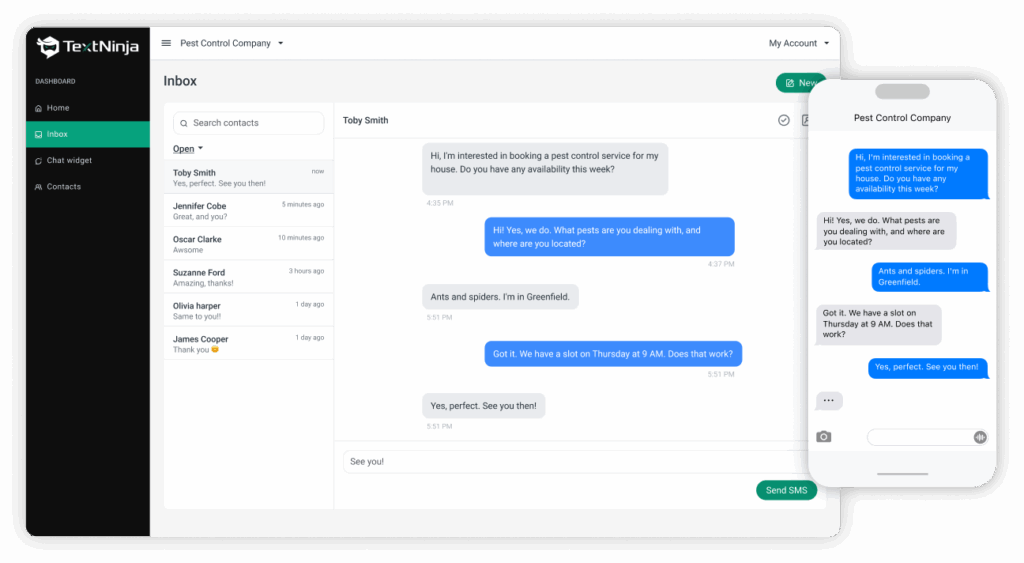
Teams can manage lead inquiries through TextNinja’s shared inbox feature. And analyze performance using the built-in reports.
What we like
TextNinja includes an auto-responder feature, allowing businesses to set up an automated message that will be sent to all incoming leads.
Ready to grow your business?
Capture leads, engage customers instantly, and turn conversations into sales with TextNinja's powerful SMS chat widget.
Start free trial
2. OptinMonster
OptinMonster focuses on capturing leads through popups and other on-site campaigns.
Building a popup campaign took only a few minutes using the visual editor. Templates provide a starting point, and adjusting colors, text, and layout is simple.
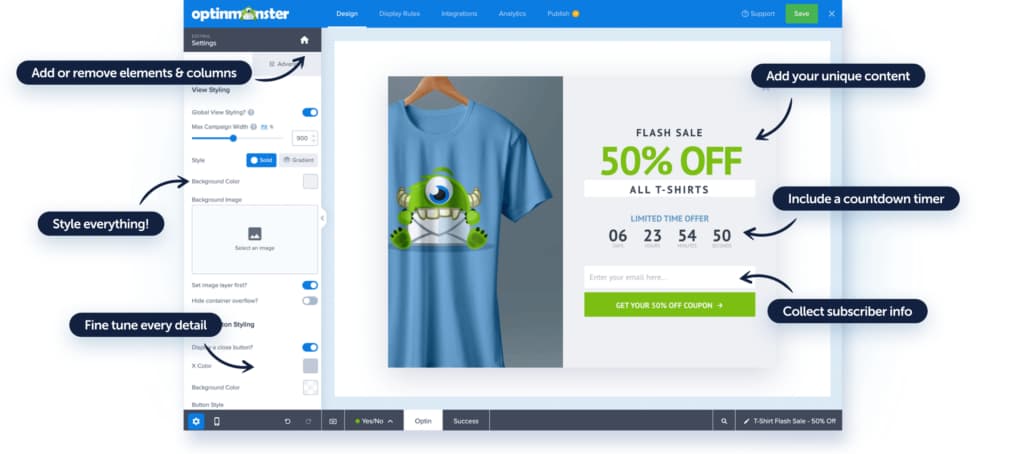
The targeting rules are detailed and allow campaigns to appear based on scroll depth, exit intent, or time spent on a page.
During testing it was easy to set up a popup that appeared only after someone had scrolled through most of an article.
The built-in analytics made it easy to see how many visitors viewed the campaign and how many converted.
What we like
The targeting controls are powerful without feeling complicated. It’s easy to fine-tune when campaigns appear so visitors aren’t overwhelmed.
3. Sleeknote
Sleeknote focuses on creating lead capture forms that blend naturally into a website’s design.
The editor includes templates for slide-ins, banners, and popups that can be customized to match your branding.
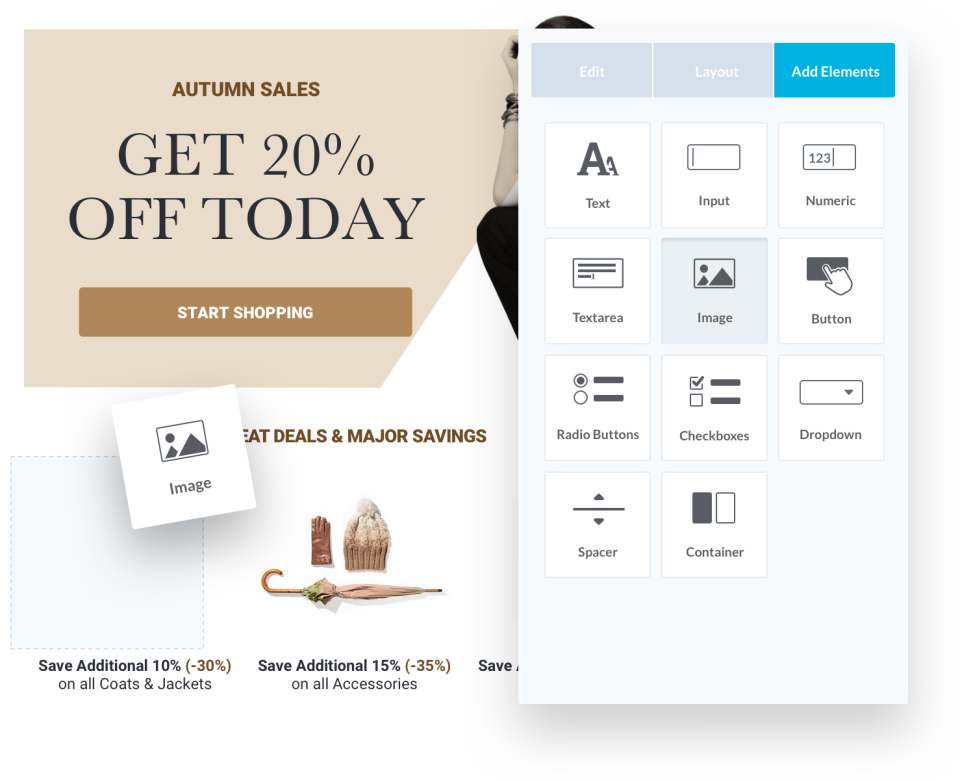
Building a campaign involved choosing a template and adjusting the layout, which only took a few minutes.
Behavior triggers such as scroll depth and time on page can control when forms appear. The reporting dashboard shows impressions and conversions for each campaign.
What we like
The campaigns look polished and feel less intrusive than many typical popups. Templates provide a strong starting point, which speeds up campaign creation.
It’s a good option for teams that want lead capture forms that fit naturally into their website design.
4. Poptin
Poptin provides tools for building popups, slide-ins, and embedded lead capture forms. Creating a popup involved selecting a template and customizing the layout using the visual editor.
The interface is simple enough that launching a campaign didn’t take long.
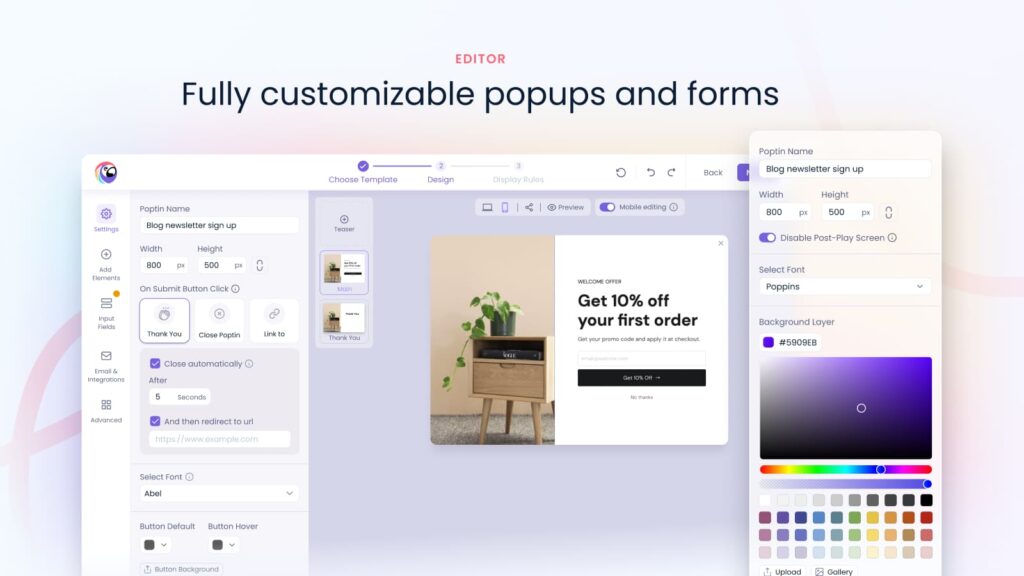
Targeting options include triggers such as exit intent, time on page, and visitor behavior. Testing the campaign preview made it easy to see how the popup would appear on different devices.
The analytics dashboard shows conversion rates and impressions so you can evaluate campaign performance.
What we like
The interface is straightforward and easy to learn. Campaign setup is quick, which helps when testing multiple offers.
It covers most lead capture scenarios without requiring complicated configuration.
5. Hello Bar
Hello Bar focuses on simple lead capture elements such as top bars, modals, and sliders.

Setting up a campaign starts with choosing the type of bar or popup you want to display.
The editor allows quick adjustments to text, colors, and form fields. Campaigns can be targeted based on factors like device type or visitor location.
During testing the top bar loaded quickly and didn’t interrupt the browsing experience.
What we like
Hello Bar is extremely quick to set up and launch. The lightweight design keeps campaigns simple and fast. It works well for businesses that want straightforward lead capture without a complicated setup process.
6. ConvertBox
ConvertBox focuses on personalized lead capture forms and on-site messages. The builder allows you to create forms that appear based on visitor behavior or page content.
Creating a targeted message for returning visitors was simple using the segmentation options.
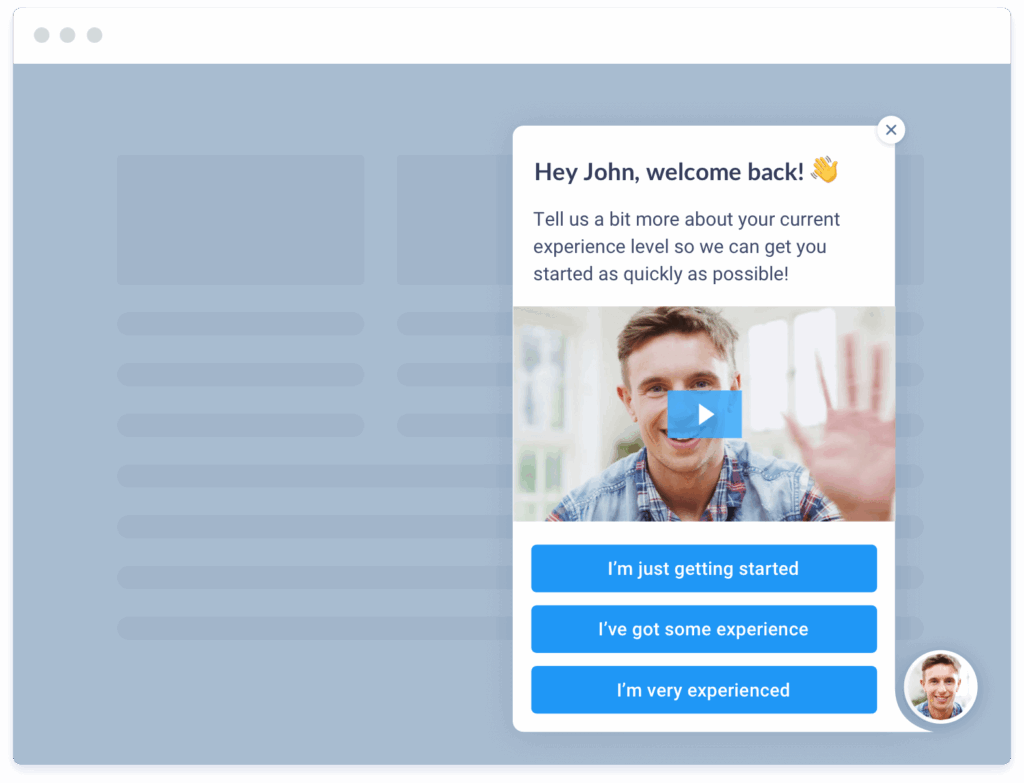
The interface shows how each form will appear on the page before publishing it. During testing it was easy to embed forms within pages as well as display them as popups.
Analytics provide insights into impressions and conversion rates.
What we like
The targeting options allow messages to feel more relevant to visitors. Forms can adapt based on visitor behavior, which helps improve engagement.
This makes ConvertBox useful for more personalized lead capture campaigns.
7. BDOW!
BDOW! provides tools for collecting email leads through popups and other on-site forms. The campaign builder includes templates for welcome mats, scroll boxes, and email capture popups.
Launching a popup campaign took only a few minutes after choosing a template and customizing the text.
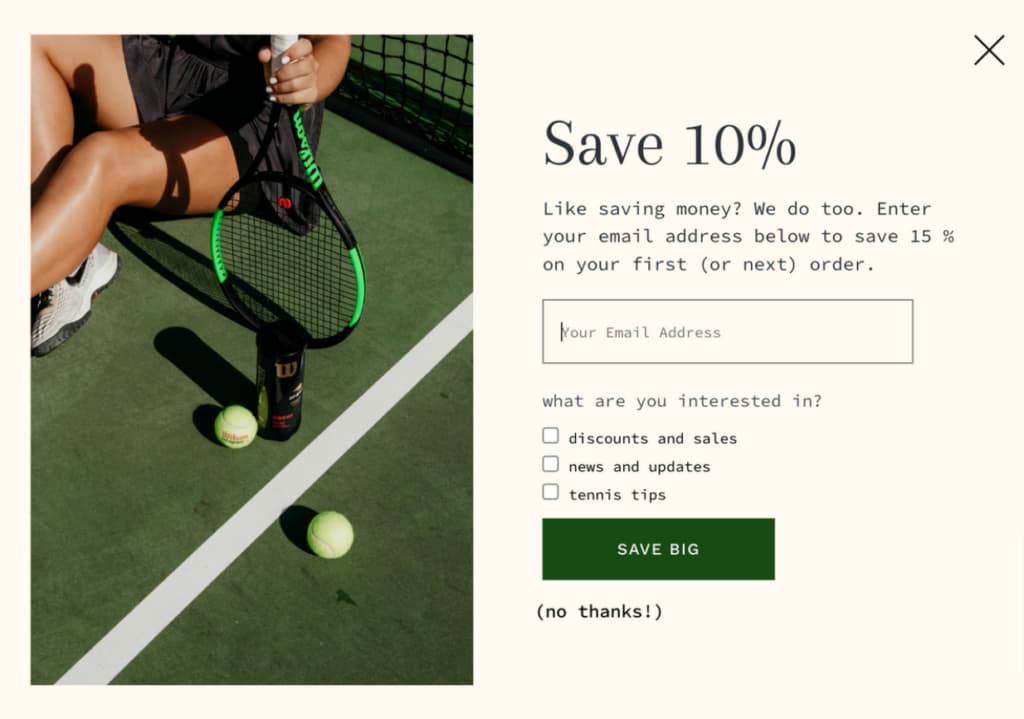
The tool also provides basic analytics so you can track how many visitors subscribed.
Preview options show how the campaign will appear on both desktop and mobile devices. Integrations allow new leads to be sent directly to email marketing platforms.
What we like
BDOW! keeps the lead capture process simple and easy to manage. Campaign templates help speed up setup.
It’s a practical option for businesses focused on building email subscriber lists.
8. ConvertFlow
ConvertFlow allows businesses to create forms, popups, and personalized calls to action. The visual builder makes it easy to design campaigns that match the look of a website.
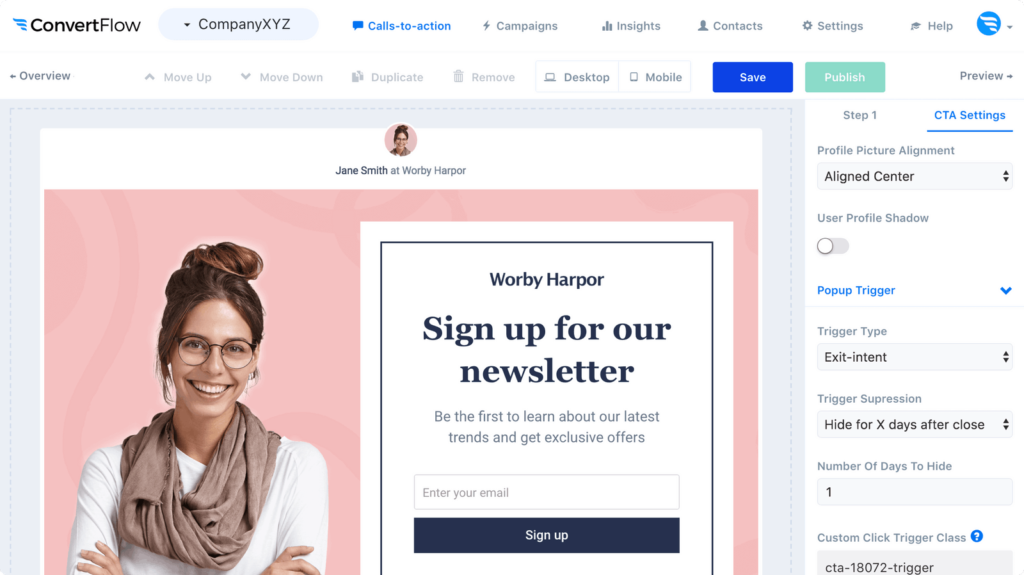
Creating a form involved dragging elements into place and adjusting the layout. Targeting rules allow campaigns to appear based on page visits or visitor behavior.
Testing the preview mode helped confirm how campaigns would display on different pages.
What we like
ConvertFlow offers a lot of flexibility for building customized campaigns. Forms and calls to action can be embedded directly into page content.
This makes it useful for marketers who want more control over how lead capture appears throughout a site.
Ready to grow your business?
Capture leads, engage customers instantly, and turn conversations into sales with TextNinja's powerful SMS chat widget.
Start free trial
9. Leadpages
Leadpages focuses on building landing pages designed for lead generation. The page builder uses a drag-and-drop interface that makes it easy to create opt-in pages.
Templates provide a quick starting point and can be customized with images, forms, and headlines.
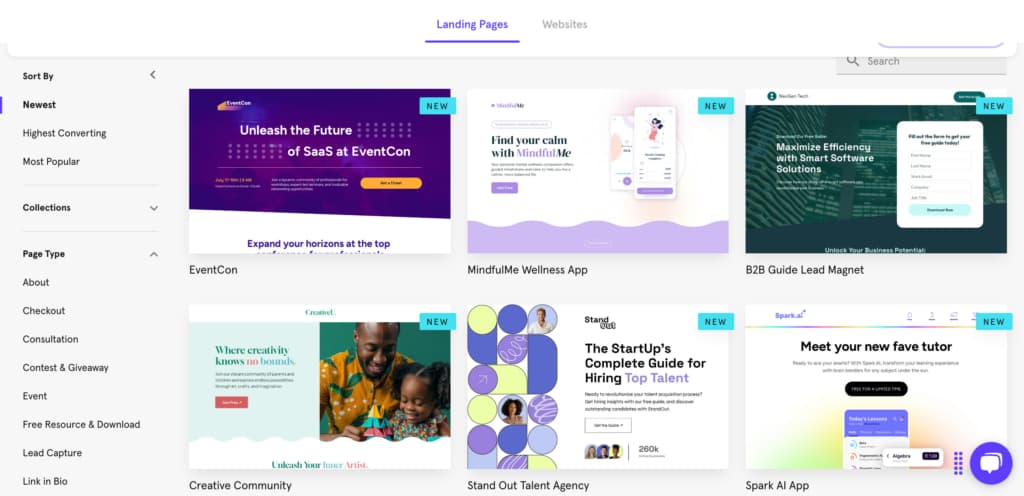
Publishing a landing page only takes a few clicks once the design is finished. The built-in analytics track conversions and visitor activity.
Integrations with email marketing platforms allow captured leads to flow into existing campaigns.
What we like
Landing page templates are designed with lead generation in mind. The builder makes it easy to launch pages quickly. It works well for campaigns where the goal is collecting leads from ads or marketing promotions.
10. Unbounce
Unbounce is known for creating high-converting landing pages. The page builder allows detailed control over layout, text, and design elements.
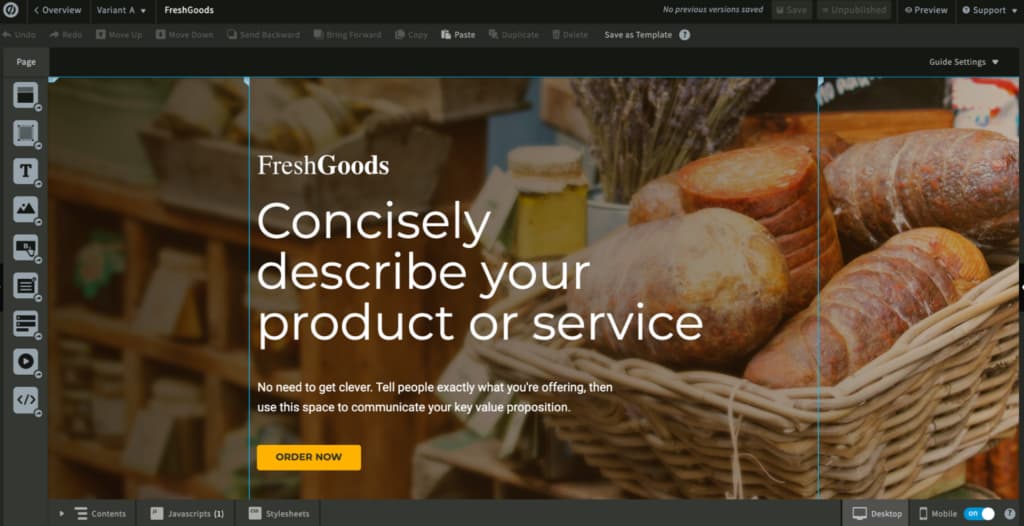
During testing it was easy to create a landing page with a lead capture form and publish it quickly.
A/B testing features allow multiple page versions to run at the same time. Analytics help track which version converts more visitors into leads. The platform also integrates with many marketing tools and email services.
What we like
The A/B testing features make it easy to experiment with different page designs. Detailed analytics provide clear insight into conversion performance.
This makes Unbounce especially useful for teams focused on optimizing campaigns.
11. ClickFunnels
ClickFunnels helps businesses capture leads through multi-step funnels. Creating a funnel starts with selecting a template and customizing the pages within the sequence.
Each step of the funnel can include forms, offers, and follow-up actions. During testing it was easy to visualize how visitors would move from one step to the next.
The editor allows quick adjustments to layout and content.

Analytics track how many visitors move through each stage of the funnel.
What we like
Funnels make it easier to guide visitors through a structured lead capture process.
The platform keeps each step organized and easy to manage. It’s useful for campaigns where capturing leads is only the first stage of a larger sales flow.
12. Typeform
Typeform captures leads through conversational forms and surveys. Creating a form involved choosing question types and adjusting the layout.
The interface shows exactly how the form will appear to visitors. During testing the conversational style made the form feel more engaging than traditional lead forms.

Logic rules allow different questions to appear depending on previous answers. Results are organized in a dashboard that makes responses easy to review.
What we like
The conversational format keeps visitors engaged throughout the form. The design feels modern and polished. This approach can help increase completion rates for longer lead capture forms.
13. Tally
Tally provides a simple way to create lead capture forms. Building a form involves adding questions and adjusting the layout directly in the editor.
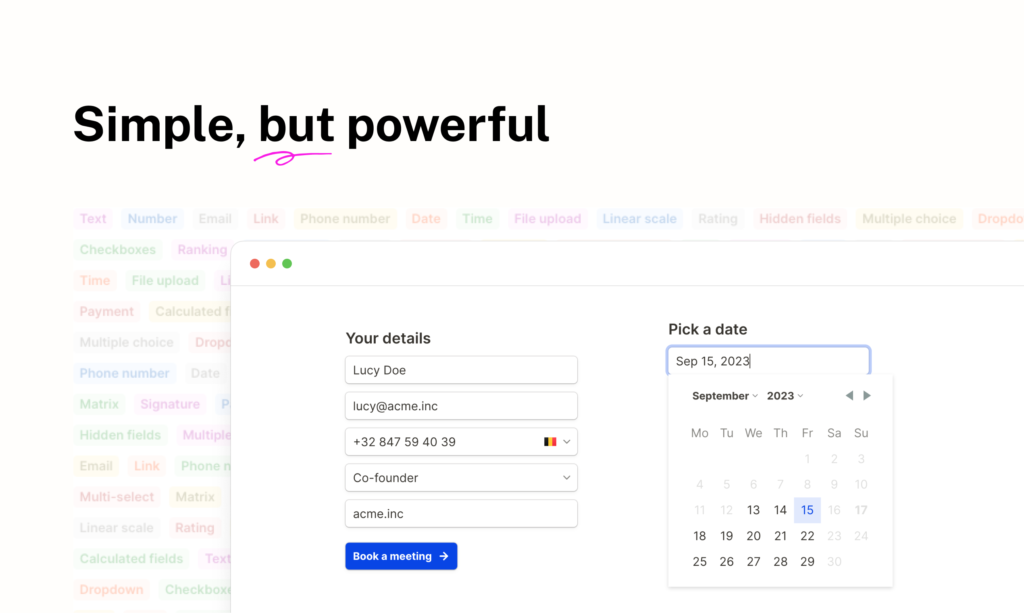
The interface is clean and easy to navigate. Conditional logic can show or hide questions based on previous answers.
Testing the form preview made it easy to confirm how the form would appear to visitors.
Responses are collected in a dashboard where submissions can be reviewed.
What we like
The editor is extremely simple to use. Creating forms takes very little time. It’s a good option for teams that want straightforward lead capture forms without unnecessary complexity.
14. Outgrow
Outgrow helps businesses capture leads through quizzes and interactive content. Creating a quiz involves choosing a template and adding questions and results.
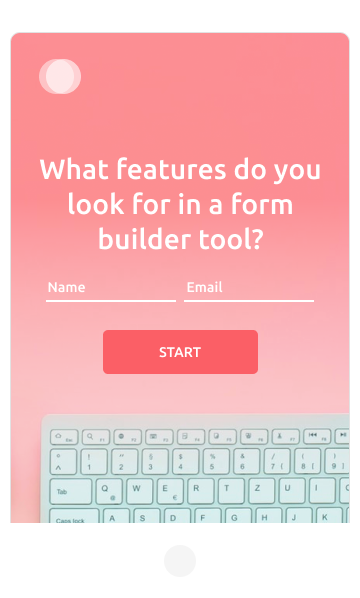
During testing the quiz builder guided each step of the process, which made it easy to build a simple assessment.
Forms can appear before showing quiz results so visitors submit their information.
What we like
Interactive quizzes feel engaging and encourage visitors to participate. The builder simplifies the process of creating interactive content. This approach can work well for lead generation campaigns that rely on engagement.
15. ScoreApp
ScoreApp focuses on quiz funnels that generate leads while providing personalized results.
Building an assessment involves adding questions and defining scoring logic. The builder guides the process step by step so creating a quiz feels manageable.
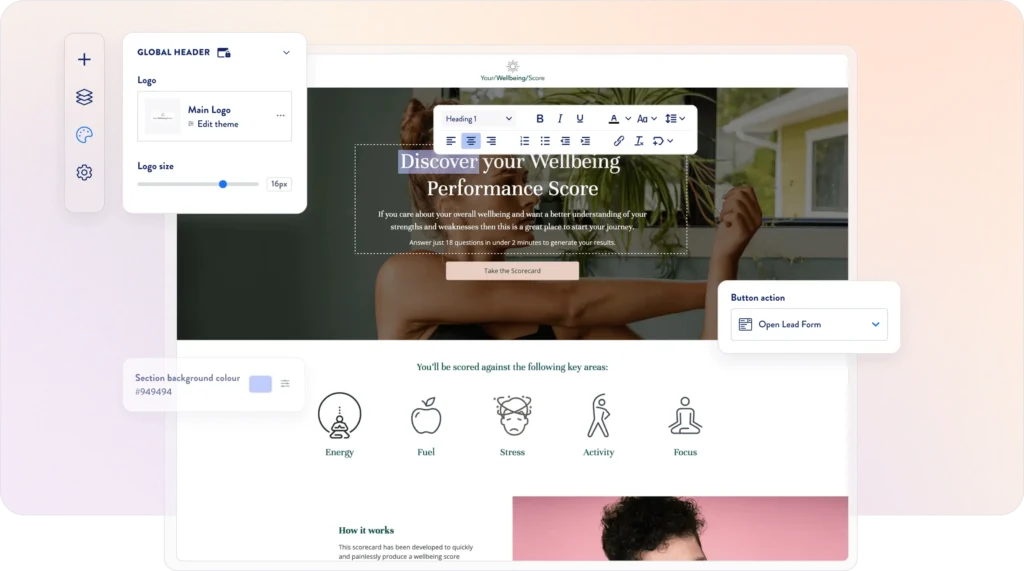
During testing it was easy to customize the result pages that appear after a visitor completes the quiz.
Leads are captured before the final results are displayed. The dashboard tracks completion rates and captured leads.
What we like
The scoring system adds a sense of personalization to each quiz. Visitors receive results that feel tailored to their responses. This can make the lead capture experience more engaging and valuable.
16. CallPage
CallPage captures leads by offering instant callback requests. The widget appears on a website and invites visitors to request a phone call.
Testing the widget showed how quickly a callback request can be submitted. Visitors enter their phone number and receive a call from the business within moments.
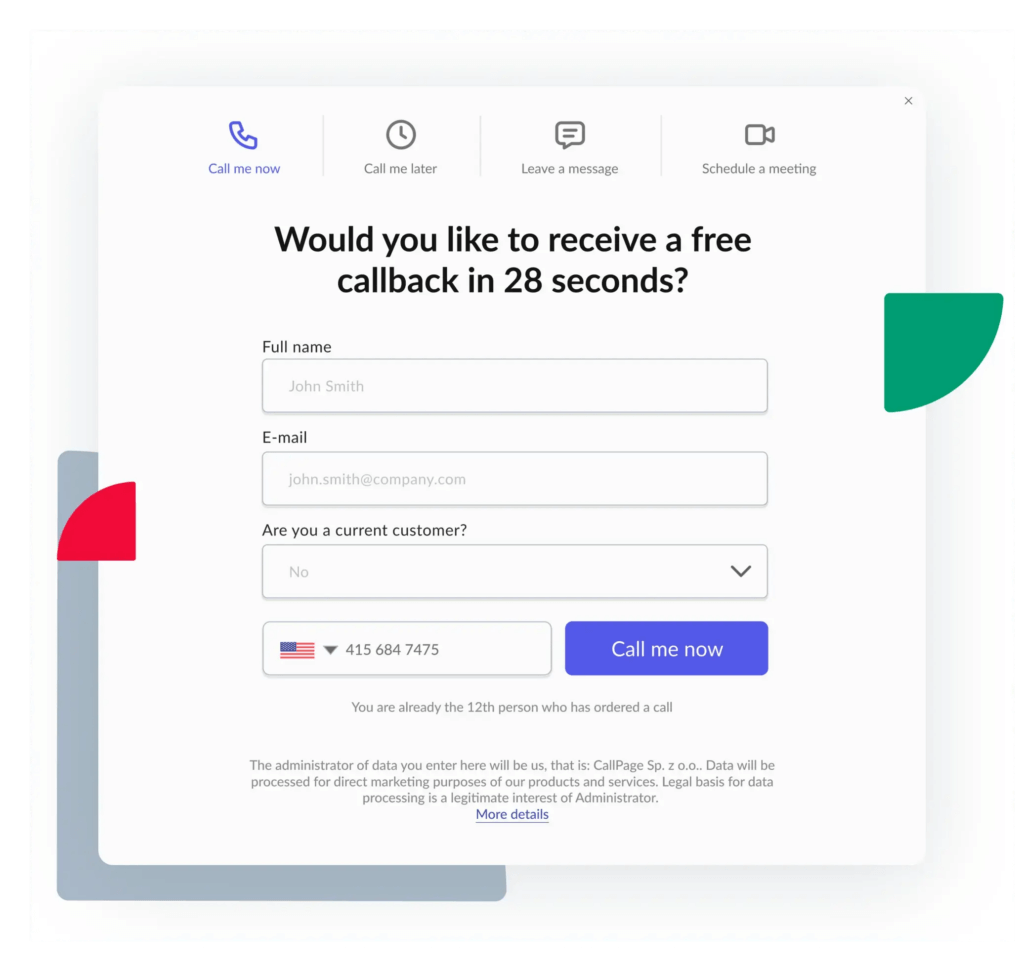
The dashboard shows incoming requests and tracks callback performance.
This approach works well for businesses that rely on phone conversations to close leads.
What we like
The callback feature turns website visitors into phone conversations very quickly. The widget is easy to install and configure.
It can be especially effective for service businesses that prefer handling inquiries by phone.
How to Choose the Right Lead Capture Software
The best lead capture tool depends on how your business interacts with potential customers.
Some websites benefit from popups and embedded forms that collect email subscribers. Others rely on landing pages or quizzes to generate leads through campaigns and promotions.
Tools that capture leads through messaging or phone calls can work well for businesses that prioritize fast conversations.
It’s worth experimenting with a few different approaches to see which one resonates with your audience.
The tools listed above cover a wide range of lead capture methods, which makes it easier to find one that fits your workflow and marketing strategy.